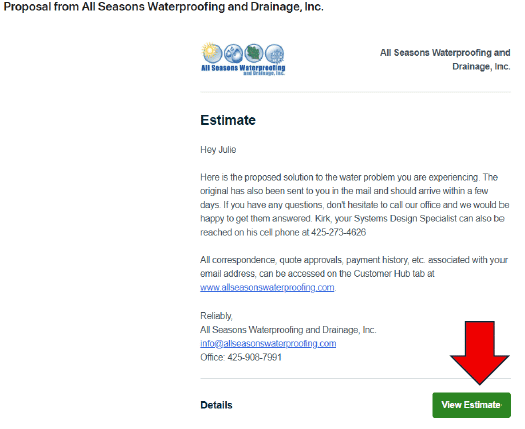
1. You should have received an email from All Seasons Waterproofing and Drainage Inc. containing the link to your Client Hub. To view your estimate, click the green box that says “View Estimate”. This can be done on either a mobile or a desktop device.
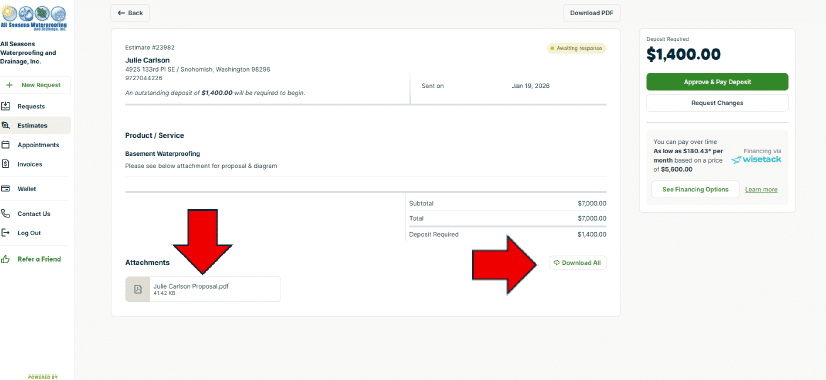
2. Once you click “View Estimate”, your browser will take you directly to the estimate on your Client Hub. To view the attached proposal and diagram, click the PDF. File under “Attachments” in the left-hand bottom corner, or “Download All” in the bottom right-hand corner as indicated by the red arrows below.
3. To approve your estimate and pay the deposit, click the “Approve & Pay Deposit” button on the top right oof the screen within the estimate.